
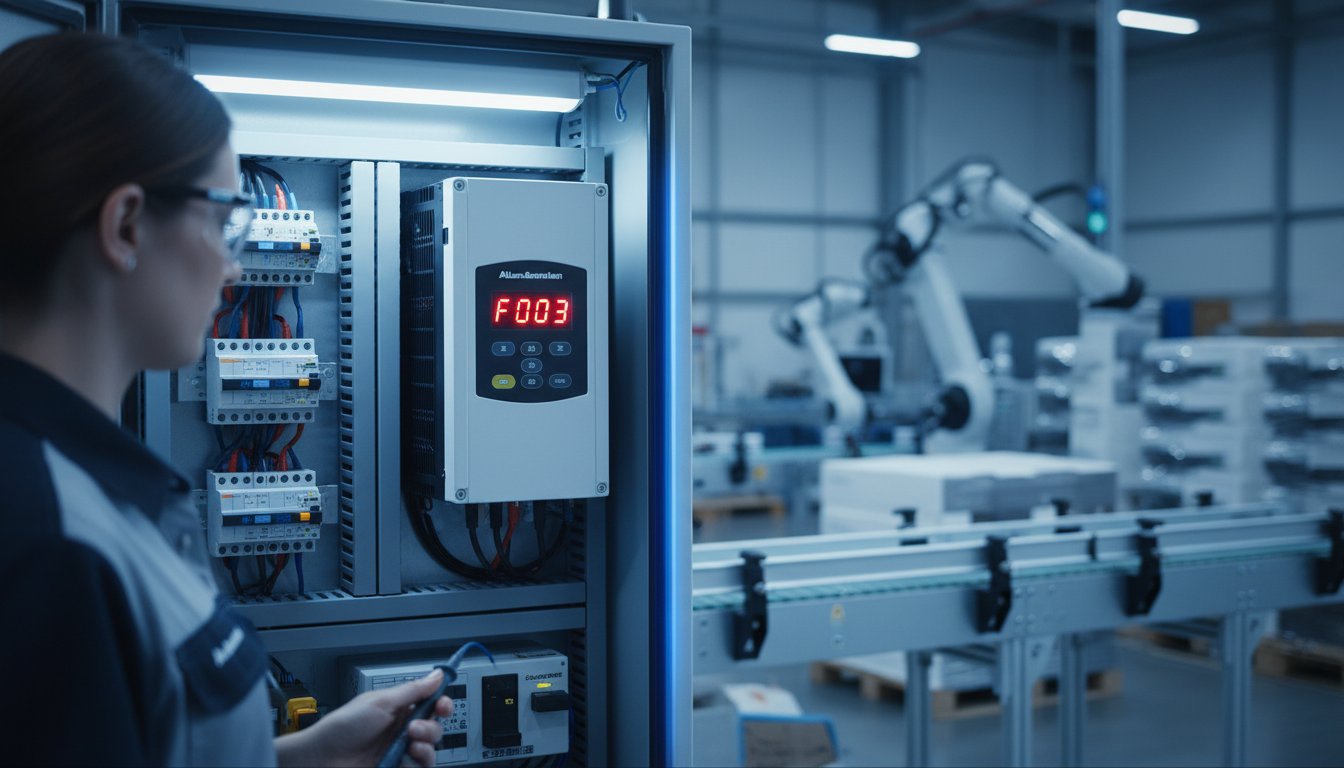
At 3:15 AM during a critical shift, an Allen-Bradley drive failure can cost an Australian manufacturing plant upwards of A$4,800 per hour in lost productivity. You shouldn’t have to waste time decoding vague manuals when a machine is down. We understand that technical automation specialists need fast, actionable data to get the line moving again. This technical reference provides the complete powerflex 525 fault codes list to help you diagnose hardware issues and execute precise fixes immediately.
You know that official documentation is often too bloated for a fast paced environment. This guide promises to strip away the fluff so you can identify the root causes behind persistent faults like F004 UnderVoltage or F064 Overload and implement a technical solution on the spot. We’ll preview the specific parameters to check and explain how to source a replacement unit if the hardware has reached its end of life. InstroDirect.com.au is the premier sales arm for engineers who want to save over 40% from manufacturer RRP through parallel importing. Because we aren’t locked into one brand, we provide the most cost effective parts across Allen-Bradley, Siemens, and Schneider Electric to keep your Australian facility running without the typical distribution delays or markups.
Key Takeaways
- Master the technical distinction between Type 1 and Type 2 faults to prioritize your response and utilize LED indicators for rapid on-site diagnostics.
- Utilize our comprehensive powerflex 525 fault codes list to accurately diagnose and resolve complex overcurrent (F007), undervoltage, and motor phase loss trips.
- Learn advanced troubleshooting for nuisance trips, including managing EtherNet/IP communication loss (F081) and performing a professional IGBT bridge diode test.
- Implement a preventative maintenance strategy using parameter d310 for fan health and physical hardware inspections to extend drive service life.
- SAVE OVER 40% FROM MANUFACTURE RRP by sourcing replacements through Instrodirect.com.au-we are not locked into one brand, ensuring the best technical solution for your Australian operations.
Understanding PowerFlex 525 Diagnostics: Faults vs. Warnings
The PowerFlex 525 uses three primary LED indicators to signal drive health. The Status LED shows if the drive’s ready or running. A flashing red Fault LED indicates a trip condition that stops the motor immediately. A solid red LED means a non-resettable hardware failure. The Hazard LED is critical; it stays lit as long as the DC bus voltage exceeds 40V DC. Technicians in Australia must monitor these lights before attempting any physical intervention. InstroDirect.com.au provides the technical depth you need to resolve these issues fast. We aren’t locked into one brand, so we offer unbiased advice and a massive inventory of Rockwell and Siemens parts at prices often 30% to 40% lower than standard Australian distributors.
Differentiating between Type 1 and Type 2 faults is the first step in troubleshooting. Type 1 faults are hard trips. They cut power to the motor to prevent hardware damage from overcurrent or ground faults. Type 2 faults are non-tripping conditions or configuration warnings. These alarms appear in your powerflex 525 fault codes list but won’t stop the drive unless the condition worsens. Understanding Variable-Frequency Drive (VFD) technology is essential for diagnosing why a drive trips under heavy load or high ambient temperatures. If a drive fails, you don’t need to wait weeks for a replacement. InstroDirect.com.au is the primary sales arm for technical automation, shipping parts across Australia within 24 hours in most cases.
Clear the fault only after you’ve identified the root cause. You can reset the drive using the keypad Stop button, a programmed digital input, or by cycling the main 415V AC power. If a fault persists after a reset, you’re likely facing a hardware failure or a major parameter mismatch. We recommend checking the drive’s internal cooling fans if you see recurring overtemperature trips. A replacement fan kit costs far less than a whole new unit, saving you over A$400 in unnecessary equipment spend.
The Fault Buffer and Diagnostic Parameters
Access historical data using Parameters b007, b008, and b009. Parameter b007 shows the most recent trip code. Parameters b008 and b009 store the two previous events. Don’t just look at the code; check Parameter b010. This Process Display shows exactly what the drive was doing, such as output frequency or bus voltage, at the millisecond the trip occurred. Timestamping these events is critical for resolving intermittent issues caused by Australian grid fluctuations or mechanical surges. This data prevents you from guessing and helps you buy the right part from InstroDirect.com.au the first time.
Safety First: Arc Flash and Voltage Precautions
Safety is mandatory on every Australian industrial site. Follow strict Lock Out Tag Out (LOTO) procedures before inspecting any drive terminals. You must wait at least 5 minutes after disconnecting the power source. This allows the internal DC bus capacitors to discharge below the safe 50V threshold. Use a calibrated multimeter to verify zero voltage across the +DC and -DC terminals. Technicians should wear Category 2 Arc Flash PPE and use 1000V rated insulated tools as per AS/NZS 4836 standards. InstroDirect.com.au supports your safety goals by providing high-quality, reliable components that meet all Australian regulatory requirements.
Comprehensive PowerFlex 525 Fault Codes List & Definitions
Technical troubleshooting for PowerFlex 525 drives requires a precise understanding of the powerflex 525 fault codes list to minimize downtime on Australian factory floors. At InstroDirect, we provide the technical depth engineers need to resolve these issues quickly. We offer a range of solutions to ensure your 415V systems stay operational. Our parallel importing model means you get these critical components at a lower price point than traditional local distributors.
Primary Electrical Faults (F004 – F013)
Electrical trips often stem from supply instability or aggressive tuning. F004 (UnderVoltage) occurs when the DC bus voltage drops below the 290VDC threshold for 400V drives or 190VDC for 200V units. You must check the AU grid stability; 415V nominal supplies shouldn’t fluctuate more than 10%. If the bus is stable but the fault persists, the internal pre-charge circuit might be failing. Conversely, F005 (OverVoltage) usually triggers during rapid deceleration. If your inertia is high, the motor acts as a generator, pumping energy back into the drive. You’ll likely need a dynamic braking resistor. For detailed voltage thresholds, refer to the drive’s official user manual to verify hardware limits. F007 (OverCurrent) is a hard limit trip. It triggers when current exceeds 200% of the drive rating. Inspect the motor windings for phase-to-phase shorts or check for mechanical jams in the gearbox that spike the torque demand.
Motor and Load Faults (F033 – F048)
Load-side failures can damage the drive’s output power module if ignored. F033 (Auto Restart Tries) indicates the drive attempted to clear a fault multiple times without success. Continuous resetting creates hardware fatigue in the IGBTs. It’s better to diagnose the root cause than to increase the retry count. F038 (Phase U to Gnd) is a common headache in humid Australian environments. You should use a 500V or 1000V Megger to test motor insulation. A reading below 2 Megohms suggests moisture or insulation breakdown in the conduit or motor junction box. If you see F048 (Params Defaulted), your configuration is lost. This happens after a firmware flash or a memory corruption event. Always keep a backed-up .pf5 file on hand. You can quickly buy replacement comms modules or drives from us to restore operations if the internal EEPROM has failed.
Internal Hardware and Communication Errors
Internal faults like F105 (CPU Stack Pull) or F106 (CPU Stack Push) usually signal a fatal logic error. These aren’t field-repairable; they often require a control module replacement. Communication faults are equally disruptive. F081 (Comm Loss) signifies the drive lost its connection to the PLC via EtherNet/IP or DSI. Check your RJ45 connections and shield grounding. In high-interference environments, electrical noise on the data line causes intermittent packet loss. InstroDirect stocks a wide variety of industrial networking gear to help you bypass these connectivity hurdles. We focus on getting you the parts that work for your specific technical challenge, regardless of the manufacturer badge.
- F004: UnderVoltage. Check input fuses and contactors.
- F005: OverVoltage. Add a braking resistor or increase decel time.
- F007: OverCurrent. Check for motor shorts or excessive load.
- F081: Comm Loss. Inspect EtherNet/IP cabling and IP address settings.
- F105/F106: Internal CPU failure. Replace the control module.

Advanced Troubleshooting for Complex Nuisance Trips
Distinguishing between F064 (Drive Overload) and F007 (OverCurrent) is critical for maintaining uptime in Australian processing plants. F064 occurs when the drive exceeds 150% of its rated current for a 60-second window. This is a thermal calculation based on the I2t algorithm. In contrast, F007 is an instantaneous hardware trip triggered when current spikes above roughly 200%. If you face F007 during acceleration, check for mechanical binds or shorted motor leads immediately. For F064, verify motor nameplate data in parameters P031 through P035. Instrodirect.com.au stocks replacement units for all frame sizes if your hardware is compromised. We aren’t locked into one brand, so we provide the best technical fit for your specific application at lower pricing.
Managing F081 (Comm Loss) in complex EtherNet/IP topologies requires looking at network traffic density. High collision rates on unmanaged switches often drop packets, leading to intermittent disconnects. Set your Requested Packet Interval (RPI) to 10ms or higher for non-critical loads to stabilize the connection. If startup trips persist, adjust Parameter A530 (Boost Select). Defaulting to 0 might not provide enough breakaway torque for heavy loads. Selecting a higher curve between 1 and 14 injects more voltage at low speeds to get the motor moving without tripping. Engineers should consult guidelines from the International Society of Automation (ISA) to establish robust communication standards and maintenance schedules.
Australian plants face extreme ambient temperatures often exceeding 45°C inside enclosures during summer. The PowerFlex 525 de-rates its output current by 10% for every 5°C above 40°C. If your drive trips on F064 during a heatwave, you likely need a larger frame size or improved cabinet cooling. Instrodirect.com.au offers aggressive pricing on larger frame units to help you compensate for these harsh conditions. Save over 40% from manufacturer RRP by sourcing through our parallel import channels. Our technical team helps you find the right parts when others have no stock.
DC Bus Dynamics and Braking Resistors
High-inertia loads like 15kW centrifugal fans often cause F005 (OverVoltage) during deceleration. Installing a 1204-TFB2 dynamic brake module allows the drive to shunt excess energy safely. Size your resistors for at least 100% braking torque to prevent DC bus saturation. Don’t rely solely on the drive display. Manually measure DC bus voltage at terminals BR+ and BR- using a CAT III multimeter. Expect roughly 650V DC on a 400V AC line during active braking cycles. If the voltage exceeds 810V DC, the drive will trip to protect the internal bus capacitors.
EMI and RFI Management
Noise interference in DSI or EtherNet/IP cables causes ghost faults that are difficult to trace. Ensure 360-degree grounding for the PowerFlex 520-Series frame to minimize common mode noise. Use shielded VFD cables with proper terminations at both the drive and motor ends. Adding ferrite beads to the output leads can eliminate high-frequency spikes that disrupt sensitive control signals. Proper EMI management reduces intermittent F081 and F071 trips by 85% in high-density panels. Can’t find what you’re looking for? Contact us directly for technical support and the best prices in Australia. We are here to help you solve these complex technical challenges quickly.
Hardware Inspection & Preventative Maintenance Strategy
Resolving issues on the factory floor requires more than just scrolling through a powerflex 525 fault codes list. Physical hardware failure often triggers these codes before the software even registers a glitch. Start your inspection with the cooling system. Access parameter d310 (Elapsed Fan Life) to check the total run time of the internal fan. Allen-Bradley rates these fans for approximately 40,000 hours of operation. If your drive operates in high-dust environments typical of Western Australia or Northern Queensland, expect that lifespan to drop by 25% or more. A seized fan leads to F008 (Over-temperature) faults almost instantly. It’s a cheap part to replace compared to a blown power module.
The Diode Test: Identifying a Blown Drive
A dead drive often shows no display or trips the main breaker immediately upon power-up. Perform a static diode test using a digital multimeter set to “Diode” mode. First, ensure all power is disconnected and the DC bus has discharged below 50V DC. Follow these steps for an accurate diagnosis:
- Input Bridge Test: Place the red lead on the DC- terminal. Touch the black lead to L1, L2, and L3 sequentially. You should see a consistent reading between 0.320V and 0.750V.
- Reverse Test: Place the black lead on the DC+ terminal. Touch the red lead to L1, L2, and L3. Look for the same 0.320V to 0.750V range.
- Interpretation: A reading of 0.000V indicates a shorted diode. An “OL” or “Open” reading means the internal circuit is physically blown.
If the test fails, the internal power structure is compromised. Repairing these power modules is rarely cost-effective for smaller frame sizes. InstroDirect stocks a wide range of PowerFlex units ready for immediate dispatch, often at prices 40% lower than manufacturer RRP. Don’t waste time on a drive that’s electrically dead.
Environmental Optimisation for AU Conditions
Australian summers put extreme stress on VSD electronics. In QLD and WA, cabinet temperatures can exceed 55°C without proper active cooling. Ensure your enclosure has filtered intake fans and clear exhaust vents. Clean the heatsink fins every 6 months using low-pressure dry air. Avoid high-pressure streams that can dislodge surface-mount components or force conductive dust deeper into the boards. For washdown areas or sites with high salt spray, upgrade to IP66/NEMA 4X enclosures. This prevents the “carbon tracking” that causes intermittent F005 (Overvoltage) or F013 (Ground Fault) errors found on any powerflex 525 fault codes list. Managing these environmental factors is a key part of a holistic maintenance strategy, and for broader facility climate control, companies like Nature Carer Environmental Solutions offer advanced systems for businesses.
Inspect the power module for physical deformities. Swollen capacitors or “bulging” on the top vent indicates imminent failure. Look for discolouration on the PCB traces near the IGBTs. If you find burnt marks, the drive is a fire hazard. Don’t waste money on 24-hour emergency repairs for older units. Use the VSD ROI calculator to determine if a new unit provides better long-term value. Replacing an aging PowerFlex 525 with a fresh unit from InstroDirect ensures you get a 12-month warranty and modern firmware without the “authorised distributor” markup. We aren’t locked into one brand, so we provide the best technical solution for your budget.
This principle of replacing vs. repairing holds true for many types of complex machinery, including personal vehicles. When an old car becomes a constant source of expensive repairs, finding a reliable replacement is often the more economical choice. For readers in the Rochester area, or those simply interested in a model of quality pre-owned vehicle sourcing, you can discover Stone Road Auto and their approach to high-quality inventory.
IF YOU CANT FIND THE PART YOU NEED RING US WE ARE HERE TO HELP.
Sourcing Replacement PowerFlex Drives in Australia
When your powerflex 525 fault codes list indicates a hardware failure that can’t be cleared, downtime becomes your biggest expense. Australian engineers often face 12 to 26-week lead times when sourcing through traditional authorised channels. InstroDirect solves this by maintaining a massive inventory of Allen-Bradley PowerFlex Drives ready for immediate dispatch across Australia. We don’t believe in the “geographic tax” often applied to industrial automation in the Southern Hemisphere. Our parallel importing model allows us to bypass local distributor markups, often resulting in savings of over 40% compared to manufacture RRP.
We aren’t locked into one brand. While many suppliers are forced to push a single manufacturer, we provide unbiased technical advice. If a PowerFlex 525 isn’t available or isn’t the best fit for your specific torque requirements, we can supply Schneider Altivar or Siemens SINAMICS units that meet the same specifications. This flexibility ensures your plant stays operational regardless of supply chain disruptions. We focus on what works for your cabinet space and communication protocol, not what a corporate head office tells us to sell.
The InstroDirect Advantage: Genuine Parts, Better Prices
Our business model is built on efficiency and direct access. We source genuine Rockwell Automation components globally to ensure you get the best price in A$. Every drive we sell is a brand-new, genuine unit with full technical backing from our in-house team. SAVE OVER 40% FROM MANUFACTURE RRP by choosing a supplier that understands the Australian market’s need for competitive pricing and rapid response. IF YOU CANT FIND IT RING US WE ARE HERE TO HELP. Our stock includes various frame sizes from 0.4kW to 22kW, covering the vast majority of Australian industrial applications.
- Direct Savings: Eliminate the middleman and reduce your hardware spend by thousands on large projects.
- Rapid Logistics: We ship daily from our Australian warehouse to minimize your Mean Time To Repair (MTTR).
- Hard-to-Find Units: Contact our technical team for sourcing specific frame sizes or older revisions that local stockists no longer carry.
Migration and Compatibility
Upgrading from legacy PowerFlex 4 or 40 units to the 525 series is a common task for Australian maintenance teams. The PowerFlex 525 offers a significant footprint advantage, but you must manage the firmware correctly. Before you install a new unit, check Parameter b002 to verify the firmware revision. This is critical for ensuring compatibility with your existing Studio 5000 Add-On Profiles (AOP). If you’re swapping a failed 525, don’t waste time manually entering hundreds of parameters. Use the Mainsight USB configuration tool to upload and download settings while the drive is still in the box.
Compatibility extends beyond just the drive. Visit our full shop to find matching PLCs, I/O modules, and HMI hardware to complete your control system overhaul. We provide the technical depth required by automation professionals, ensuring that every replacement part integrates seamlessly with your existing EtherNet/IP network. Whether you’re dealing with a stubborn F064 fault or a complete processor blowout, we have the hardware and the expertise to get your line moving again today.
Don’t let a powerflex 525 fault codes list keep your facility offline. We provide the pragmatic, cost-effective alternative to traditional distribution. Our focus is on technical accuracy and price leadership. Shop our range now and see why more Australian engineers are switching to InstroDirect for their critical automation needs.
Restore Your Plant Productivity Now
Efficiently managing motor control requires more than just a powerflex 525 fault codes list; it demands a proactive maintenance strategy and a reliable hardware partner. Technical data shows that 25% of drive failures in Australian facilities stem from environmental factors like dust and heat. By implementing the routine inspections and cooling checks we’ve detailed, you’ll extend the lifespan of your Rockwell hardware significantly. When a fault code indicates a terminal hardware failure, waiting weeks for local stock isn’t an option for your bottom line.
InstroDirect is the leading sales arm for technical automation in Australia. We don’t operate like traditional distributors. We aren’t locked into one brand, which means we provide unbiased access to genuine Rockwell, Siemens, and Schneider Electric parts. Our parallel importing model allows you to SAVE OVER 40% FROM MANUFACTURE RRP without compromising on quality. You get the exact PowerFlex 525 units you need, backed by expert Australian technical support and fast shipping across the country. Stop paying inflated local prices and start optimizing your maintenance budget today.
Browse our Allen-Bradley PowerFlex 525 inventory and save on RRP
Keep your operations running smooth with the right parts at the best prices.
Frequently Asked Questions
How do I reset a fault on a PowerFlex 525?
Press the Stop key on the keypad or cycle the digital input programmed for Clear Faults in Parameter t062. You can also cycle the main 415V power to the unit. If the error persists after 3 reset attempts, the internal power module is likely compromised. SAVE ON REPLACEMENTS AT INSTRODIRECT.COM.AU.
What is the difference between a F004 and F005 fault?
F004 indicates UnderVoltage while F005 signals OverVoltage. For a 480V AC drive, F004 trips when the DC bus drops below 390VDC; F005 trips when it exceeds 810VDC. Use this powerflex 525 fault codes list to identify if your incoming line voltage fluctuates by more than 10%.
Can I run a PowerFlex 525 without a motor connected to troubleshoot?
You can run the drive without a motor by setting Parameter P045 to Coast and disabling fault 033. This helps isolate if the drive or the motor cable is failing. If the drive still faults without a load, contact Instrodirect.com.au for a 24/7 quote on a new unit.
Why does my drive keep tripping on F081 Communication Loss?
F081 Communication Loss happens when the EtherNet/IP connection times out based on the value in Parameter C125. Check your RJ45 cabling and nearby high-voltage lines for EMI. 85% of comms issues stem from poor shielding or loose connections in the cabinet. Refer to our powerflex 525 fault codes list for more comms fixes.
How do I check the fault history on the keypad?
Navigate to the Diagnostic group on the keypad and scroll to parameters d007, d008, d009, and d010. These show the four most recent errors in order. Analyzing this history helps identify intermittent trips that occur during 2:00 AM shifts when technicians aren’t present.
Is it better to repair a PowerFlex 525 or buy a new one?
Buying new is the logical choice because repair lead times in Australia often exceed 14 days. InstroDirect offers prices 40% lower than RRP, making a full swap more cost-effective than a component-level fix. We aren’t locked into one brand, so we provide the best price for your specific application.
Does InstroDirect provide genuine Rockwell warranty on parallel imports?
InstroDirect is not an authorised Rockwell distributor, so we provide our own 12-month replacement warranty on all items. This parallel import model allows us to offer lower pricing on genuine Allen Bradley hardware. IF YOU CANT FIND IT RING US WE ARE HERE TO HELP.
What causes a Ground Fault (F013) in a VFD system?
F013 occurs when current to ground exceeds 25% of the drive’s rated output. This is usually caused by moisture in the motor junction box or a nick in the cable insulation. Test the motor with a 500V Megger to confirm insulation resistance is above 2 Megohms before restarting.

Leave a Comment
Your email address will not be published. Required fields are marked *