Why are Australian automation engineers still paying a 40% premium for versatile logic modules through traditional authorized distribution? It’s a common frustration when you’re trying to keep project costs under A$1,500 while managing the steep learning curve of the intuitive logic module programming software. Transitioning from standard Ladder logic to Function Block Diagram (FBD) often feels like an unnecessary hurdle during a tight commissioning schedule. We know your priority is a reliable, cost-effective solution that works the first time on-site.
This technical guide provides a detailed logic module programming example featuring a real-world dual-pump lead-lag control sequence. You’ll learn how to configure timers, flags, and analog inputs without the usual software headaches. At InstroDirect.com.au, we aren’t locked into a single brand; we provide unbiased access to the world’s best hardware at lower pricing through parallel importing. We’ll walk you through the logic configuration and show you how to save hundreds on your next bill of materials by bypassing traditional markups. Let’s dive into the FBD logic and hardware specs needed for your next Australian industrial installation.
Key Takeaways
- Configure LOGO! Soft Comfort using Function Block Diagram (FBD) or Ladder Diagram (LAD) to automate small-scale industrial tasks like HVAC and motor control.
- Master a real-world siemens logo plc programming example by implementing automatic pump control logic to manage fluid levels and prevent dry running.
- Leverage the built-in web server and Ethernet protocols in LOGO! 8.3+ modules for remote I/O monitoring and direct cloud connectivity across your facility.
- Save over 40% off the manufacturer’s RRP by sourcing genuine Siemens hardware and logic modules through InstroDirect.com.au.
- Access unbiased technical solutions for Australian engineers – InstroDirect is not locked into one brand, ensuring you get the right part at the best price.
Introduction to Siemens LOGO! Logic Modules and Programming Basics
Siemens LOGO! modules are the definitive logic module for small-scale automation across Australia. These compact units handle tasks like HVAC control, lighting sequences, and simple motor logic with industrial-grade reliability. While larger systems like the S7-1200 offer more raw processing power, the LOGO! series focuses on efficiency and ease of use. At Instrodirect.com.au, we provide these modules as a cost-effective solution for technical automation and engineers who need results without the overhead of complex PLC environments. You’ll find these units in pump sheds and small manufacturing cells from Perth to Brisbane because they handle 24V DC or 240V AC power with ease.
Hardware features set the LOGO! apart from basic relays. Each unit includes an integrated display for local diagnostics, an Ethernet port for networking, and expandable I/O modules. This hardware flexibility makes it a staple for Australian industrial switchboards. If you’re searching for a siemens logo plc programming example to kickstart your next project, understanding the hardware limitations is the first step. We aren’t locked into one brand; we recommend the LOGO! when the logic is straightforward but the environment is harsh and requires 100% uptime.
Why LOGO! is the Preferred Entry-Level Controller
Cost is the primary driver for many engineers. LOGO! serves as a budget-friendly alternative to full-scale PLCs for Boolean logic tasks. You save on hardware and software costs immediately. One standout feature is the integrated web server. It allows for remote monitoring via a standard web browser. This means you don’t need to purchase expensive SCADA licenses for simple remote access. This functionality is a massive win for remote Australian sites where physical access is limited. The robust DIN-rail mounting ensures it stays secure in high-vibration environments. At Instrodirect.com.au, we focus on value and efficiency, offering these units at lower pricing through parallel importing. You save more because we bypass traditional distribution markups.
Hardware Overview: Inputs, Outputs, and Expansion
Choosing the right model is critical for local Australian voltage standards. The 230RCE model is built for 240V AC systems, while the 12/24RCE handles DC control circuits. If your project grows, you can add DM8 or DM16 expansion modules. This allows your system to scale up to 24 digital inputs and 8 analogue inputs. For data integrity, the MicroSD card slot is a key feature. It manages program backups and logs data for remote site analysis. You can store up to 20,000 data records locally without external storage. Check our online shop for current deals on expansion modules and base units. IF YOU CANT FIND IT RING US; we are here to help you source the exact part for your build. SAVE OVER 40% FROM MANUFACTURE RRP by shopping our technical inventory today.
Mastering LOGO! Soft Comfort: The Programming Environment
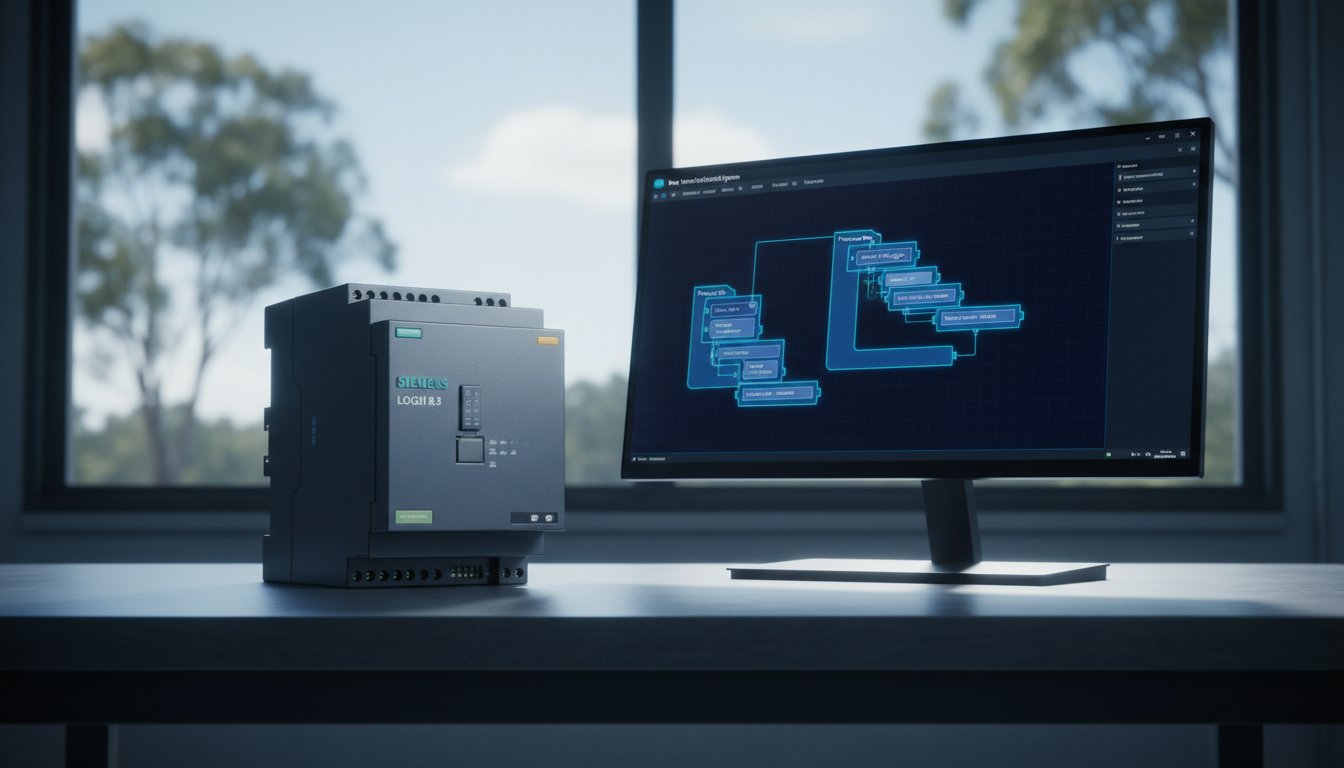
LOGO! Soft Comfort V8.3 serves as the primary platform for developing any siemens logo plc programming example. This software streamlines the process of creating, simulating, and testing control logic. It features a Network View that supports multiple modules. This allows for rapid drag-and-drop hardware configuration. Engineers can manage complex setups across Australian industrial sites without manual addressing errors. The offline simulation tool is a critical feature. It lets you verify logic sequences before connecting to live hardware. This prevents damage to A$10,000+ machinery during the commissioning phase. At Instrodirect.com.au, we provide the hardware you need to get these systems running. We aren’t locked into one brand, so we offer unbiased technical support for Siemens, Allen Bradley, and more.
Function Block Diagram (FBD) vs. Ladder (LAD)
FBD is the native language for LOGO! hardware. It focuses on the flow of signals through logic gates. This layout is highly intuitive for complex Boolean operations and mathematical functions. LAD remains a favorite for electricians in Australia who are accustomed to traditional relay logic diagrams. Soft Comfort provides a built-in conversion tool. You can switch a project from LAD to FBD with a single click. This flexibility is vital when collaborating with different engineering teams. If you need to source specific modules for these configurations, browse our current inventory for the best market prices.
Essential Logic Instructions: AND, OR, and RS Latches
- AND/OR Gates: These are the fundamental building blocks. Use them to set mandatory conditions for process starts.
- RS Latch (Self-holding relay): This is critical for motor control. It creates a “seal-in” circuit for start and stop buttons.
- On-Delay and Off-Delay Timers: Use these for signal debouncing and managing process intervals. They ensure motors don’t cycle too rapidly, which extends equipment life.
Setting Up Your First Ethernet Connection
Establishing communication is the first hurdle in any siemens logo plc programming example. You must configure the IP addresses of both your PC and the PLC to sit on the same subnet, such as 192.168.0.x. “Unable to access LOGO!” errors are common. These usually result from IP conflicts or Windows Firewall restrictions. Always use the “Test” function within the software’s interface settings. This verifies the hardware link before you attempt a full program download. Instrodirect.com.au focuses on helping Australian engineers solve these connectivity issues by providing reliable, tested hardware. Our parallel importing model ensures you get these technical solutions at a lower price point than traditional distributors.

Siemens LOGO! PLC Programming Example: Automatic Pump Control
This siemens logo plc programming example focuses on a standard industrial task: managing a pump for waste-water or irrigation. In Australia, reliable level control is critical for preventing pump burnout and managing site runoff. We’ll use a dual-float system to ensure the pump only operates when necessary and stops before it runs dry. This logic is a baseline requirement for technical automation and engineers working in local infrastructure.
These control principles aren’t limited to industrial sites; they are also fundamental in high-end residential and commercial applications. For instance, specialists in pool construction and renovation like Rod Cameron Pools rely on sophisticated automated pump and filtration systems to ensure efficiency and longevity.
For engineers whose work on local infrastructure extends to transport planning and traffic management for new sites, you can visit ML Traffic Engineers Australia for specialized consultancy.
Defining the I/O and Logic Requirements
Effective automation starts with a clear I/O map. We’ve defined the following inputs and outputs for this configuration:
- I1: Low-Level Float (NC): Wired as Normally Closed for fail-safe operation. If a sensor wire breaks, the system interprets it as a low level and stops the pump immediately.
- I2: High-Level Float (NO): This sensor triggers the start sequence once the tank is full.
- I3: Manual Start (NO): A momentary push button for manual override.
- Q1: Pump Contactor: The digital output driving the motor starter (240V or 415V).
- Q2: High-Level Alarm: A pilot light or siren for overflow warnings.
The core logic uses an RS Latch. This ensures the pump stays running once started at the high level until the water reaches the low-level cutoff. For the best prices on Siemens LOGO! base modules and expansion I/O, visit Instrodirect.com.au. We aren’t locked into one brand, so we provide unbiased technical advice for your specific site needs.
Step-by-Step Programming in FBD
Use Function Block Diagram (FBD) for this setup. First, place an OR gate. Connect I2 (Auto-start) and I3 (Manual-start) to the inputs. This allows either signal to initiate the process. Next, drag an RS Latch block onto the canvas. Connect the OR gate output to the S (Set) input. Link I1 directly to the R (Reset) input. Finally, connect the Q output of the RS Latch to Q1. This simple logic block handles the entire start/stop cycle without complex interlocking. It’s a professional approach used across thousands of Australian pumping stations to ensure 100% uptime.
Simulating and Testing the Sequence
Don’t deploy code without testing. Press the F3 key in LOGO! Soft Comfort to enter simulation mode. Toggle I2 to verify the latch sets and Q1 activates. Even when I2 returns to 0, Q1 must remain active. Only toggling I1 should kill the output. To prevent contactor chatter from turbulent water, insert an On-Delay Timer block between the latch and Q1. A 3-second delay is usually sufficient to filter out signal noise caused by splashing. If you’re sourcing parts for a large project, InstroDirect offers amazing deals that save you over 40% from manufacturer RRP. Shop our range at Instrodirect.com.au today.
Advanced Integration: Networking and Web Server Configuration
Modern LOGO! 8.3+ modules aren’t restricted to basic logic tasks. These units support direct cloud connectivity via AWS and utilize advanced Ethernet protocols for high-speed data exchange. This shift allows for seamless data logging and remote monitoring across industrial sites. Technicians now view live I/O status on smartphones or tablets using the built-in web server. You can network up to 16 LOGO! units to create a distributed control system without a master PLC. For complex facility layouts, integrate these modules into the Siemens Totally Integrated Automation (TIA) Portal to manage larger architectures. InstroDirect stocks these modules at prices often 40% below manufacture RRP because we utilize parallel importing to save you money.
Configuring the Custom Web Server
The LOGO! Web Editor (LWE) allows you to build custom dashboards without HTML coding knowledge. You can drag and drop buttons, bar graphs, and trend displays to visualize your process. It’s essential to set up strict access permissions in the LOGO! Soft Comfort settings to ensure only authorized personnel toggle outputs. A practical siemens logo plc programming example involves a Queensland water treatment facility. Operators there monitor tank levels and pump run-times from a central office located 400 metres from the wet well. They use the local Wi-Fi network to access the LWE dashboard, which eliminates the need for expensive HMI hardware at every pump station.
Modbus TCP Communication with Third-Party Hardware
Configure your LOGO! as a Modbus Client to expand your system’s capabilities. This protocol allows the PLC to read data directly from third-party hardware like energy meters or Allen Bradley PowerFlex drives. You must map V-Memory bits to specific Modbus registers to facilitate the data exchange. For instance, mapping VW0 to a drive’s frequency output register allows the LOGO! to monitor motor speed in real-time. This technical setup is a great siemens logo plc programming example for energy management. When integrating drives, use our VSD ROI calculator to determine your exact energy savings in A$. InstroDirect isn’t locked into one brand. We provide the best technical parts from Siemens, Rockwell, and Schneider to fit your specific Australian application requirements.
Get the best deals on automation hardware and expert technical support for your next project. Shop Siemens LOGO! modules and expansion units at InstroDirect today.
Sourcing Siemens LOGO! and Automation Hardware in Australia
Finding genuine Siemens parts at competitive prices is a major challenge for independent Australian contractors. Traditional distribution networks often include multiple layers of markup that drive up the final cost of hardware. InstroDirect utilizes a parallel import model to bypass these traditional distribution markups. This procurement strategy allows us to offer prices that save customers over 40% on RRP. We aren’t locked into one brand. This independence means we provide unbiased technical advice on whether Siemens, Rockwell, or Schneider Electric is the best fit for your specific application. If you’re struggling to select the right logic module or expansion block, expert support is available via phone to guide your purchase.
When you examine a siemens logo plc programming example, it’s clear that the hardware must match the software’s intent. Whether you’re automating a simple pump station or a complex lighting circuit, having the right physical I/O is critical. We stock the latest 24CE and 230RCE versions to ensure your project moves from the design phase to commissioning without delay. Our focus is on value and efficiency, ensuring you get the technical specs you need at a price that keeps your project profitable.
Siemens LOGO! vs. Allen-Bradley Micro800
Choosing between the Siemens LOGO! and the Allen-Bradley Micro800 range often comes down to software preference and specific task complexity. LOGO! Soft Comfort is famous for its “drag and drop” simplicity, making it ideal for relay replacement. Conversely, the Micro 800 controller utilizes Connected Components Workbench (CCW). CCW is based on Microsoft Visual Studio, offering a more familiar environment for engineers who prefer standard IEC 61131-3 languages. While the LOGO! is excellent for compact footprints, the Micro800 series often provides better performance for small scale motion control. We monitor Australian project lead times closely; while some authorized channels quote 16 plus weeks, we prioritize local stock in A$ to keep your site running.
Why Sourcing from InstroDirect Makes Sense
InstroDirect provides access to a massive range of industrial automation parts from all major global brands. We eliminate the red tape of official distribution. All orders ship fast across Australia from our Narangba, QLD warehouse, ensuring you aren’t waiting months for critical components. You get direct access to technical experts who understand the siemens logo plc programming example and how to implement it in a real world Australian industrial environment. We are a no-nonsense, pragmatic supplier focused on lower pricing and technical reliability. If you can’t find the specific expansion module or power supply you need, contact us directly for immediate assistance. SAVE OVER 40% FROM MANUFACTURE RRP and get your parts delivered when you need them.
- Direct Pricing: Parallel importing means lower costs for Australian contractors.
- Brand Independent: We recommend the best tool for the job, not the brand we’re told to sell.
- Local Stock: Our Narangba warehouse services all of Australia with fast dispatch.
- Technical Support: Talk to people who understand PLC logic and hardware integration.
Deploy High-Performance Automation with Siemens LOGO!
Mastering the LOGO! Soft Comfort environment is the fastest way to streamline local control tasks. This siemens logo plc programming example for automatic pump control shows how these modules handle complex logic with a minimal footprint. By leveraging built-in networking and web server functions, you’ll monitor your Australian facility from any browser. It’s about efficiency and reducing downtime on the factory floor.
InstroDirect is your technical partner for sourcing genuine automation hardware. We aren’t locked into one brand; we provide a wide selection of Siemens, Rockwell, and Schneider Electric parts to fit your exact specifications. Our parallel importing model means you save over 40% against standard manufacturer RRP in Australia. You get the same high-quality components with expert technical support based right here in QLD. Don’t pay more for the same serial numbers when you can optimize your project budget today.
Shop Siemens LOGO! and Save Over 40% at InstroDirect
Start building your next control system with the best prices and local technical expertise in the country.
Frequently Asked Questions
What software is used for Siemens LOGO! programming?
Use LOGO! Soft Comfort software for every siemens logo plc programming example and commercial project. The current version 8.3 or 8.4 supports Ladder Diagram and Function Block Diagram. It includes a built-in simulation tool to test logic before deployment. Buy your software licenses at InstroDirect for the best price. We aren’t locked into one brand, so we provide the right technical tools for Australian engineers.
Can I program a Siemens LOGO! without the official software?
You can program basic logic directly on the device using the integrated LCD display and 6-button keypad. This method is restricted to simple circuit functions and small programs. For complex automation and efficient debugging, use LOGO! Soft Comfort. InstroDirect stocks these modules at 40% off RRP. Don’t waste time on manual entry for big projects. Ring us if you can’t find the specific module you need.
Is Siemens LOGO! a real PLC or just a smart relay?
Siemens classifies the LOGO! as a logic module, but its 400 function block capacity makes it a powerful micro-PLC. It handles Ethernet communication, Modbus TCP, and integrated web server functions. It’s more than a basic smart relay. At InstroDirect, we supply these units to engineers who need PLC performance at a lower price point. We offer unbiased advice across all major brands to suit your budget.
How many I/O points can a Siemens LOGO! handle?
A Siemens LOGO! 8 system expands to a maximum of 24 digital inputs, 20 digital outputs, 8 analog inputs, and 8 analog outputs. You achieve these numbers by adding expansion modules to the base unit via the side bus interface. InstroDirect has these expansion modules in stock now. Save more by buying your full I/O kit through our parallel import channel. We ship all orders across Australia for free.
Does the Siemens LOGO! support PID control for analog loops?
Yes, the LOGO! includes a dedicated PI controller function block for analog closed-loop control. It doesn’t have a full PID with a derivative component, but the PI block handles 95% of standard temperature and pressure applications. Check our siemens logo plc programming example guides for loop tuning tips. InstroDirect provides technical depth on these parts, ensuring you get the right component for your specific Australian project requirements.
What is the difference between LOGO! 8.2 and 8.3?
The primary difference is that LOGO! 8.3 introduced native Amazon Web Services cloud connectivity. Version 8.2 requires an external gateway for cloud functions, whereas 8.3 connects directly via the Ethernet port. Both versions use the same expansion modules. InstroDirect offers 8.3 modules at significant discounts compared to local RRP. If you need 24/7 support for sourcing these specific versions, contact our team at Instrodirect.com.au directly.
Can I connect a Siemens LOGO! to a HMI panel?
Connect any LOGO! 7 or 8 to a SIMATIC HMI or third party panel using the integrated RJ45 Ethernet port. It uses S7 communication or Modbus TCP/IP protocols for data exchange. We recommend SIMATIC Basic Panels for the tightest integration. InstroDirect isn’t locked into Siemens; we also stock Schneider and Allen Bradley HMIs. Get the best prices on HMI hardware in Australia through our online store today.
Where can I buy Siemens LOGO! modules at the best price in Australia?
Buy Siemens LOGO! modules at Instrodirect.com.au to save over 40% from manufacturer RRP. We use parallel importing to provide lower pricing for Australian engineers and contractors. Don’t pay full price through authorised distributors when you can access the same hardware for less. Shop our big sale now for free shipping on all orders. If you can’t find what you’re looking for, ring us at InstroDirect.
Leave a Comment
Your email address will not be published. Required fields are marked *